
How to find my order ID?
Amazon Buyer Order Number Lookup Guide
Amazon buyers can look up their order numbers through three common methods: desktop website, mobile app, and order confirmation email. The detailed steps are as follows:
1. Desktop Website (Amazon China & International Sites)
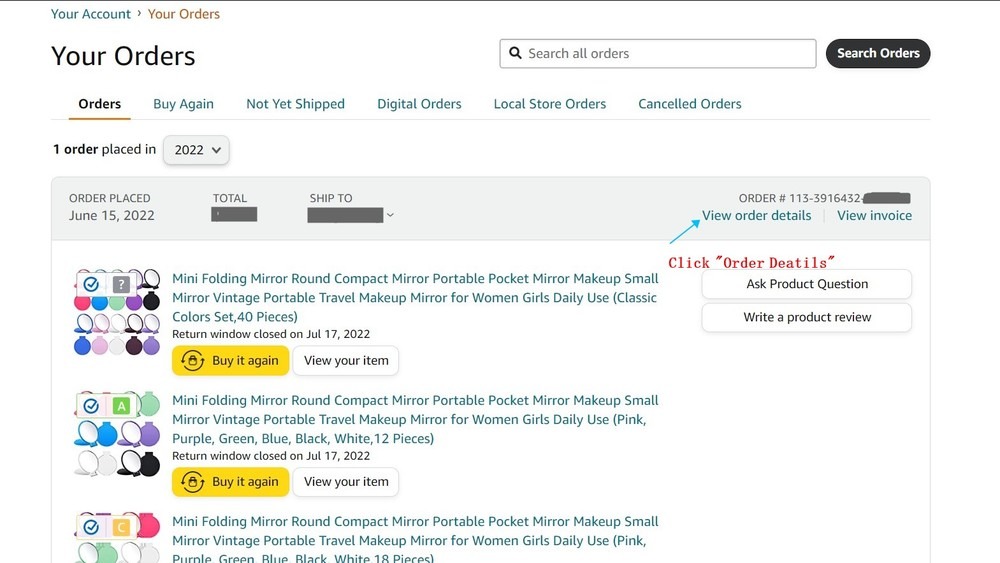
Open the official Amazon website and log in to your buyer account.
Hover your mouse over Accounts & Lists in the upper-right corner of the page.
Click Your Orders in the drop-down menu.
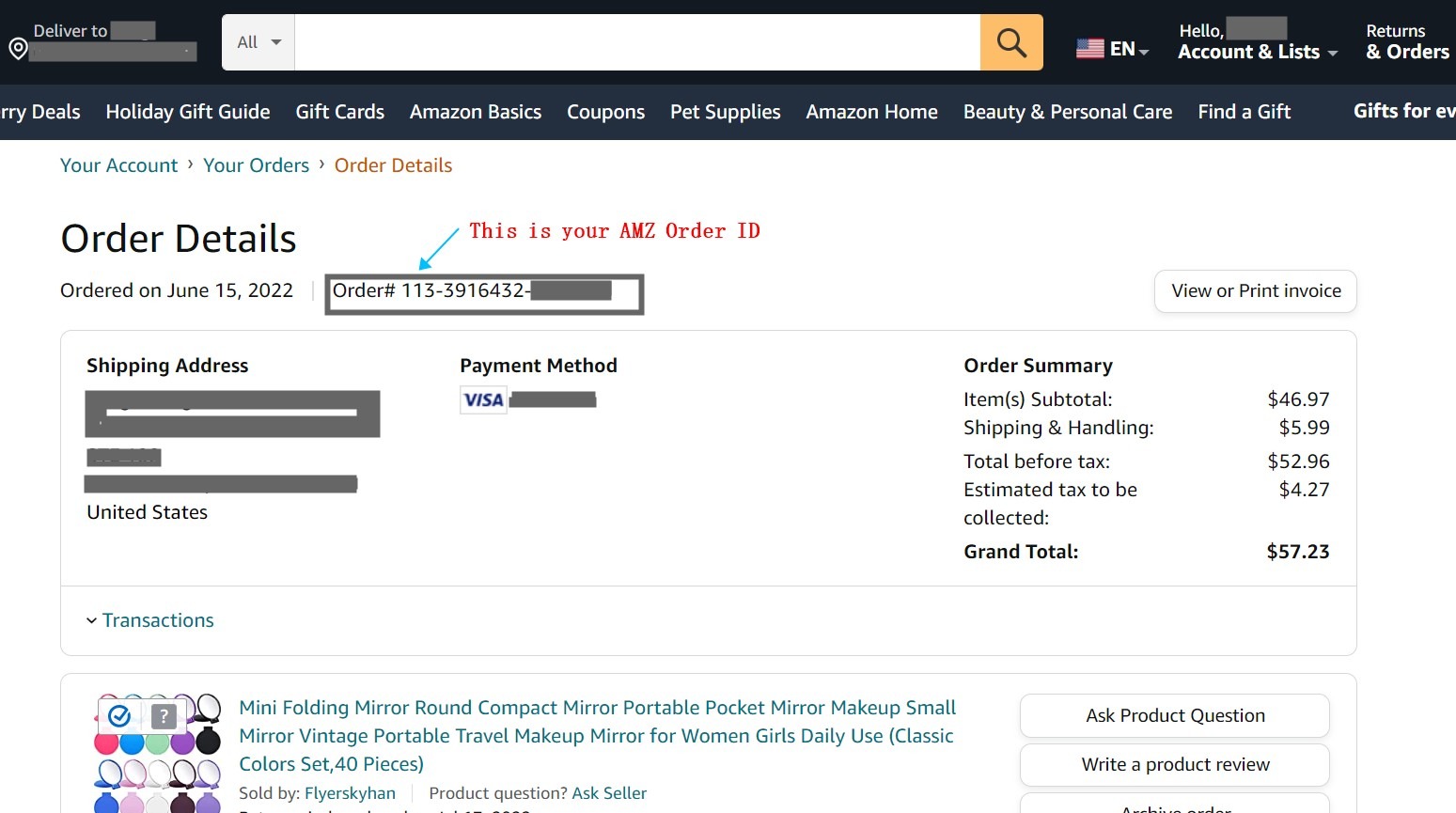
Locate the corresponding order. The Order # is directly displayed at the top left of the order card.
2. Amazon Mobile App (iOS / Android)
Open the Amazon app and log in to your account.
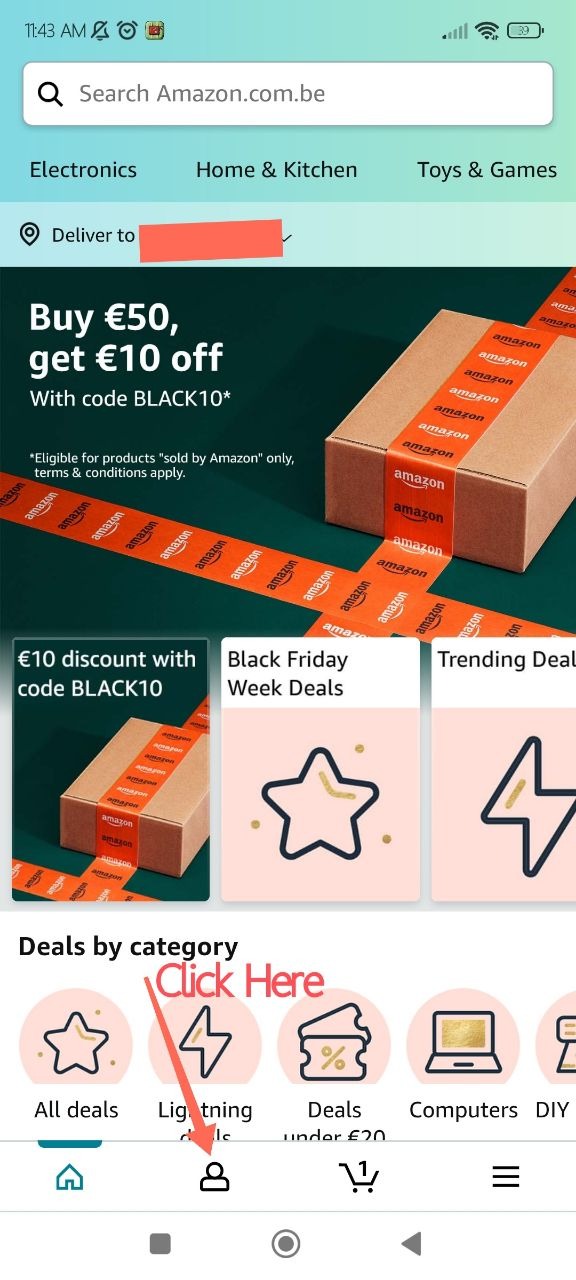
Tap the profile icon (Account) in the bottom right corner.
Enter the Your Orders page.
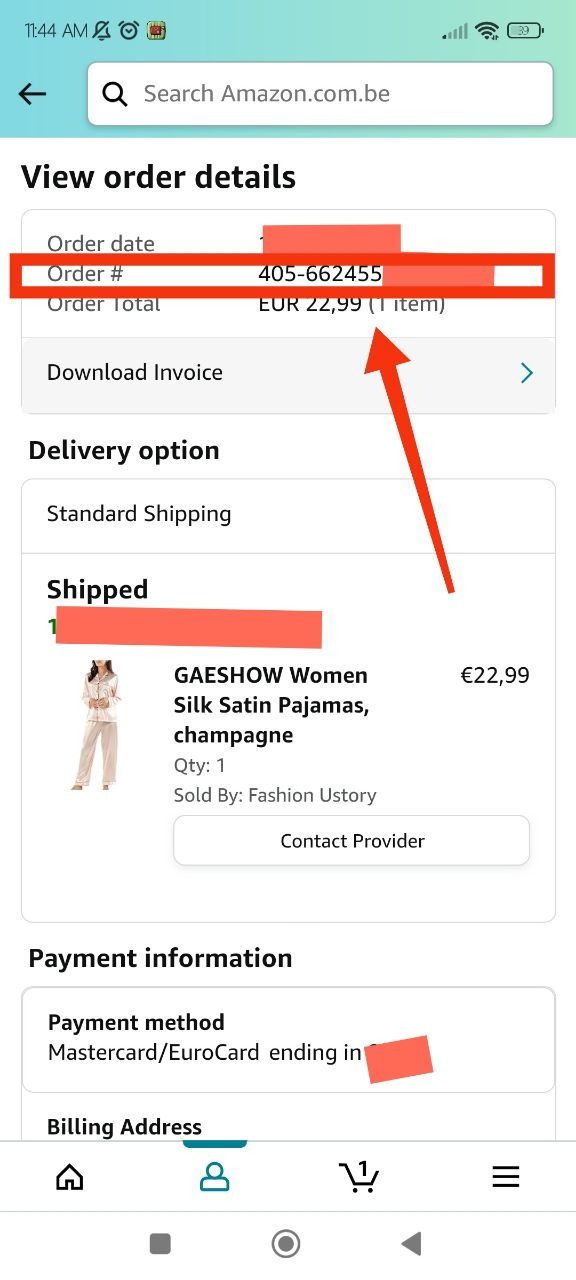
Select the target order to enter the details page. The order number is shown at the top of the page, below the order date.
3. Order Confirmation Email
Amazon will automatically send a confirmation email after you place an order:
The email title includes Order # + Order Number
The Order # is also marked at the top of the email body
4. Standard Order Number Format
Standard format: 123-1234567-1234567 (17 characters in 3 segments)
5. Quick Lookup Tips
Use the search bar to search by product name or filter orders by date
Filter by date to find orders placed three months ago or earlier
Long press the order number in the app to copy it directly
How to find my order ID?
Amazon Buyer Order Number Lookup Guide
Amazon buyers can look up their order numbers through three common methods: desktop website, mobile app, and order confirmation email. The detailed steps are as follows:
1. Desktop Website (Amazon China & International Sites)
Open the official Amazon website and log in to your buyer account.
Hover your mouse over Accounts & Lists in the upper-right corner of the page.
Click Your Orders in the drop-down menu.
Locate the corresponding order. The Order # is directly displayed at the top left of the order card.
2. Amazon Mobile App (iOS / Android)
Open the Amazon app and log in to your account.
Tap the profile icon (Account) in the bottom right corner.
Enter the Your Orders page.
Select the target order to enter the details page. The order number is shown at the top of the page, below the order date.
3. Order Confirmation Email
Amazon will automatically send a confirmation email after you place an order:
The email title includes Order # + Order Number
The Order # is also marked at the top of the email body
4. Standard Order Number Format
Standard format: 123-1234567-1234567 (17 characters in 3 segments)
5. Quick Lookup Tips
Use the search bar to search by product name or filter orders by date
Filter by date to find orders placed three months ago or earlier
Long press the order number in the app to copy it directly